As an Amazon Associate, we earn from qualifying purchases. Some links on this site are affiliate links at no extra cost to you. Our recommendations are based on thorough research and editorial judgment.

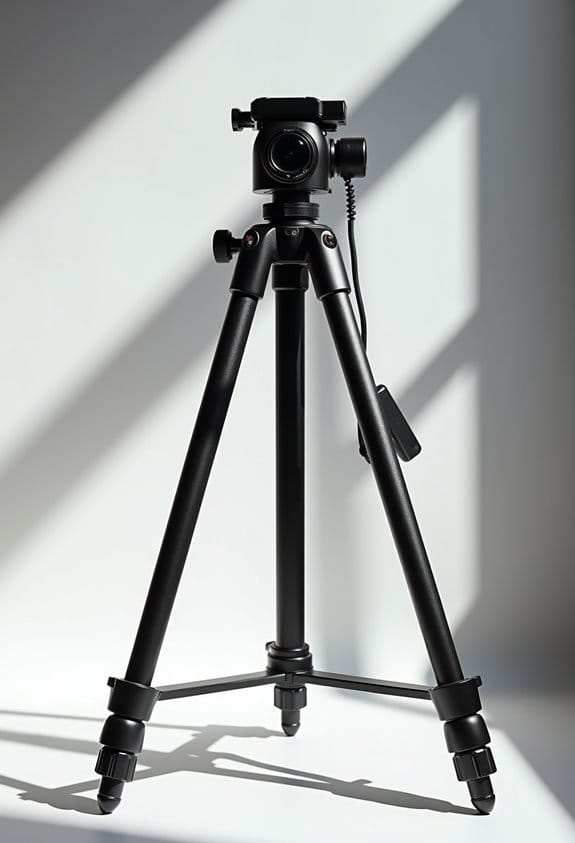
How to Reduce Tripod Vibration: Wind, Center Columns, and Shutter Shock

To reduce tripod vibration from wind, center columns, and shutter shock, we should start on stable ground and guarantee our tripod is properly anchored. Let’s use broader feet or spikes for uneven surfaces, and avoid extending the center column for better strength. We shouldn’t hang our bags improperly, as this can cause instability. Tightening all connections keeps everything secure, and we must not touch the tripod when taking a shot. If we follow these tips, we can achieve sharper images. More insights on optimizing our setup await.
Key Takeaways
- Choose stable surfaces for tripod setup and avoid uneven ground to minimize vibrations caused by wind or unstable footing.
- Keep the tripod’s center column retracted to maintain strength and prevent vibration, only extending it if absolutely necessary.
- Utilize a remote shutter release or the camera’s timer to reduce camera shake when capturing images.
- Add weight, like a camera bag, to the tripod’s center for better stability against wind and to reduce vibration.
- In windy conditions, adopt a low tripod height to lower the center of gravity and enhance overall stability.
Start on Stable Ground

When you’re setting up your tripod for photography, the choice of stable ground is super important. Think about it: if you place your tripod on shaky sand or squishy marsh, you’re likely to end up with blurry images. To get the best shots, you want to find a solid surface—something like packed dirt or a grassy area where the tripod legs can dig in a bit.
As you’re getting everything ready, make sure to press those tripod legs firmly into the ground. If you’re on a particularly uneven surface, consider using spikes to anchor them down more securely. Here’s a handy tip: if you have a camera bag or some extra weight, placing it on the tripod’s center column can really help with stability. This way, you reduce those pesky vibrations and can capture much sharper images. Using a camera with Optical Image Stabilization can further minimize blurring caused by slight vibrations during shooting.
Use the Right Feet

Hey there! So, let’s chat about tripod feet. Choosing the right feet for your tripod can really boost stability and improve your image quality. For instance, if you’re shooting on a soft surface like grass or sand, swapping out your regular rubber feet for spikes can make a huge difference. These spikes dig into the ground, anchoring your tripod and significantly reducing the chances of it tipping over.
Think about it this way: when you’re on the beach, where shifting sand can cause vibrations, those spikes can help keep your setup stable. This means less camera shake and sharper images, even when the conditions are a bit tricky. Just remember, though, to be mindful of where you’re using them—spikes shouldn’t be used on delicate surfaces like wooden decks or tiles, as they can cause damage.
On the flip side, rubber feet can sometimes lead to wobbling if the terrain is uneven. But with spikes, you’re ensuring a solid base for your shots, which can be especially helpful for landscape photography or shooting at twilight when you need that extra precision. Speaking of gear, let’s dive into how to set up your tripod for different environments! Additionally, considering camera weight and design can further influence how effectively your tripod minimizes vibrations during shoots.
Go Low

You know, when it comes to photography, lowering our tripod height can really do wonders for stability and keeping those pesky vibrations at bay. Think about it: when we set our tripod closer to the ground, we naturally lower the center of gravity, which gives us a firmer base. This can be a lifesaver on windy days when a taller setup might wobble and ruin our shots. For instance, if you’re trying to capture a long-exposure image of a waterfall, a lower tripod minimizes camera shake, resulting in sharper, more defined photos.
It’s also a smart move to collapse some of the leg sections—this adds sturdiness, especially on uneven ground where one leg might sink a bit more than the others. Plus, we should really save using the center column for last, since extending it can weaken the tripod’s overall strength. So, by keeping things low, we not only improve image clarity but also manage to capture stunning details without the blur. Next time you’re out shooting, remember: lower is often better!
For extra stability, many tripods include features like non-slip pads and rubber feet that help keep your setup steady on uneven surfaces.
Extend the Thinnest Sections Last
Hey there! So, if you want to make sure your tripod stays super stable while you’re out shooting, start by extending those thicker leg sections first. It’s like building a solid base for a house—once that’s set, you can add the lighter parts without worrying too much. If you leave the thinnest sections for last, you cut down on any vibration that might mess with your shots. Think about it: that heavy lens you’re using is a lot more stable when it’s supported by strong legs rather than shaky ones.
For example, if you’re setting up on a beach with soft sand, extend those thicker parts fully before even thinking about the thin sections. This way, if the ground shifts a bit, your tripod won’t wobble as much. Remember, when you’re working in tricky conditions, like during a windy day, securing your tripod with its sturdiest legs helps avoid that annoying shutter shock that could ruin your photos. Keeping those thinner legs tucked away until the end helps protect their joints from dirt, too, which is always a win. Using equipment with advanced stabilization technology can further reduce unwanted movement during shooting.
Don’t Hang Your Bag the Wrong Way
Hey there! You know how handy it can be to hang your camera bag from your tripod? While it might seem like a no-brainer, doing it incorrectly can actually cause vibrations that mess with your shots. To keep everything stable, try attaching your bag directly beneath the top of the tripod or from the center column. This helps to lower the center of gravity, which makes your setup much more balanced.
Just a heads up: hanging your bag too far from the tripod legs can create a pendulum effect. Think of it like a swing—too much motion, and it can tip over! Also, keep the weight of your bag in check; it shouldn’t be more than 1.5 times the weight of your camera. So, if your camera weighs 2 pounds, aim for a bag that’s no heavier than 3 pounds.
Don’t forget to regularly check your setup, too! Shifting weight can influence vibrations and overall stability, so it’s worth taking a moment to adjust if needed. Remember to also maintain your equipment by using microfiber cloths to keep your camera and tripod components clean and free from dust.
Now that we’ve got that covered, let’s chat about how to choose the right tripod for your needs.
Tighten Everything Down
Hey! If you’re looking to reduce tripod vibration and ensure your shots come out crisp, one of the most important things you can do is tighten everything down. Start by fully extending and locking all the tripod legs. If they’re a bit loose, even the tiniest shake can create unwanted vibrations that mess up your photos.
Next up, take a moment to check that the head attachment is really secure. Any movement between your camera and the tripod can lead to blurry images, especially when you’re shooting at slower shutter speeds. Make sure the tripod plate is firmly attached to your camera—this little step can really make a difference in keeping things steady during your shoot.
Oh, and don’t forget to check all those knobs and levers before you get started. If they’re wobbly or loose, they can amplify any shake, particularly on windy days. It’s also a good idea to regularly inspect your tripod for any signs of wear to keep everything functioning smoothly. Taking these simple steps not only helps you avoid those annoying vibrations but also sets you up for success in capturing brilliant images. Additionally, selecting the right tripod with appropriate weight and portability can further minimize vibrations, especially during travel shoots. Let’s dive into the next part—how to choose the right tripod for your shooting style!
Balance Your Camera
Balancing your camera on the tripod is super important if you want to score a stable and sharp image. If your setup feels front-heavy—like when you’re using a long telephoto lens—a wobble can creep in, leaving you with less sharpness in your shots. To keep everything steady, try positioning the center of gravity close to the middle of your tripod. This often means using the lens’s tripod collar since it helps distribute weight evenly.
Another quick tip is to adjust the tripod plate or head so you maintain that balance. Less movement during exposure means a lower risk of blurry images from camera shake. For example, if you’re shooting in windy conditions, checking your balance is essential. Even on a calm day, it’s worth taking a moment to double-check your setup, especially if you’re going for a long exposure shot. Well-balanced gear prepares you for sharp results every time. Choosing a tripod with a suitable load capacity ensures your setup remains stable and secure during shooting.
Don’t Touch the Tripod
Hey! So, when we’re out there capturing those perfect shots, it’s super important not to touch the tripod. You might not realize it, but even the tiniest movement can create vibrations that throw off your photo. Picture this: if you move the tripod, even just a bit, it can lead to blurry images. Instead of leaning in or fiddling with it, just take a couple of steps back and let the tripod do its thing.
And here’s a tip—when you’re using your camera’s shutter release button, try to avoid touching the tripod altogether. Using a timer or a remote shutter release can really help. For instance, if it’s really windy outside, resisting the urge to hold onto the tripod is crucial. Instead, you could place a heavy bag or backpack on the tripod’s hooks for extra stability.
Oh, and don’t forget about using an electronic shutter if your camera has that option. It’s a neat way to prevent that little jolt we get from pressing the shutter when the tripod is still. This can make a big difference in ensuring your photos are crisp and clear. Trust me, these small changes can really elevate your photography game! Now, let’s talk about another key factor: finding the right location for your shoot. Additionally, using accessories such as a 3 port cold shoe mount can help stabilize your setup by securely attaching multiple gear pieces without added bulk.
Frequently Asked Questions
How to Make a Tripod Less Shaky?
To make our tripod less shaky, we should use rubber feet for better grip, add ground spikes for stability, employ stabilizing straps, increase tripod weight, and incorporate vibration dampers for a smoother shooting experience.
How Do You Stabilize a Tripod in the Wind?
When facing howling winds, we’ve found that adding weight, using ground stakes, and seeking windbreak barriers stabilizes our tripod. Also, adjusting tripod legs and employing dampening techniques can make a world of difference in stability.
Why Is My Tripod Shaking?
Our tripod’s shaking can stem from various stability factors like material impact, design influences, and poor weight distribution. Let’s also optimize our camera settings to enhance stability, reducing vibrations for sharper images.
How to Make a Tripod Smoother?
To make our tripod smoother, let’s focus on regular maintenance tips, utilize lightweight materials, adjust flexible legs properly, tighten knobs securely, and consider stability accessories for best performance and ease of use during photography.


