As an Amazon Associate, we earn from qualifying purchases. Some links on this site are affiliate links at no extra cost to you. Our recommendations are based on thorough research and editorial judgment.


Memory Cards Explained: Speed Classes, UHS-I Vs UHS-II, and What Matters

When we choose memory cards, understanding speed classes is essential. Speed classes like Class 10, UHS-I, and UHS-II indicate how fast data can be written. UHS-I supports speeds up to 104 MB/s, while UHS-II can reach 312 MB/s, thanks to extra pins. Video Speed Class ratings help us select cards for recording quality, especially for 4K content. Compatibility with our devices matters too, as not all cards work well in every device. We’ll explore this further.
Key Takeaways
- Speed classes like Class 10, UHS-I, and UHS-II determine the minimum write speeds for different memory card uses.
- UHS-I cards offer speeds up to 104 MB/s, while UHS-II can reach up to 312 MB/s for demanding applications.
- Video Speed Class ratings (V6 to V90) are essential for ensuring smooth recording of high-resolution video and prevent file corruption.
- Ensure compatibility between your device and the memory card to maximize performance, especially with UHS-II capabilities.
- Choose high-capacity cards to effectively manage large files, especially when recording in 4K or higher resolutions.
Understanding Speed Classes for SD and Microsd Cards

When it comes to picking out SD and microSD cards, understanding their speed classes is super important. These speed classes tell you how fast data can be read and written, which can make a big difference in performance. For example, if you’re planning to capture high-resolution videos, you’d want a card that can keep up with that demand.
You’ll find standard classes like Class 2, 4, 6, and 10. Class 10 and the U1 classification both ensure a minimum write speed of 10MB/s. If you’re really into video recording, look for the U3 class, which guarantees at least 30MB/s—perfect for filming in 4K! There’s also the Video Speed Class, which ranges from V6 to V90, designed specifically for multi-stream video recording.
What’s also cool is that UHS-I cards can hit data transfer speeds of up to 104MB/s, making them very suitable for both UHS-I and UHS-II devices. So, if you need a reliable option for your photography or videography needs, choosing the right speed class can really enhance your experience. Now, let’s chat about how to choose the right card for your specific needs!
Many high-performance cards, like the SanDisk Extreme PRO SDXC memory card, offer read speeds up to 200MB/s and write speeds up to 90MB/s, which are ideal for professional-grade 4K video recording.
Differentiating Between UHS-I and UHS-II

When you’re picking out a memory card, it’s not just about the brand or how much space it has. You also need to know about the different types of high-speed interfaces, like UHS-I and UHS-II. To break it down: UHS-I can transfer data at speeds up to 104 MB/s, but UHS-II really steps it up with speeds soaring to 312 MB/s! This is all thanks to its extra row of pins, which allow for better communication and faster transfers.
Imagine you’re shooting a video in 4K or snapping a burst of high-resolution photos during a soccer match. You’d want a UHS-II card for that! While UHS-II cards work with UHS-I devices, remember they’ll only be as fast as the UHS-I limits when connected to those gadgets. So if you’re serious about capturing detailed shots or videos without a hitch, leaning toward UHS-II will help you get the job done efficiently.
Now, let’s take a closer look at how these speed differences can affect your everyday use. Choosing cards with the right speed ratings can ensure smooth video recording and quick file transfers essential for both photography and videography.
Recommended Products
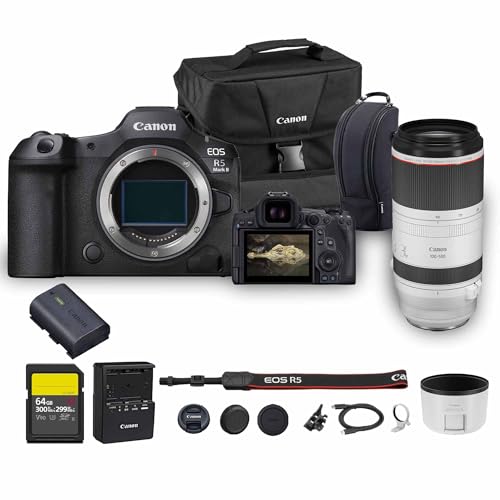
Canon USA Authorized. Items Include: Canon EOS R5 Mark II Mirrorless Camera | 45MP Full Frame Sensor 8K Video Recording, Canon RF 100-500mm f/4.5-7.1L IS USM Lens, 64GB SF-G TOUGH Series UHS-II SDXC Memory Card, Canon EOS 200ES Shoulder Bag

18” UHD+ 4K 200Hz DISPLAY — Enjoy ultra-sharp 4K quality for creative work and high refresh rates for silky-smooth gameplay, backed by 100% DCI-P3 color accuracy that’s Calman Verified for the most lifelike visual

This Canon Camera Bundle comes with a 1-Year Canon Manufacturer Warranty.
Impact of Video Speed Class on Recording Quality

If you’re getting serious about videography, you really need to understand how Video Speed Class affects your recording quality. So, Video Speed Class is like a rating system, with levels ranging from V6 to V90, each one indicating how quickly your memory card can write data. For example, if you’re recording in Full HD, a V10 card will do just fine. But if you’re stepping it up to 4K video, you’ll want something like a V30.
Now, when you dive into the higher resolutions, especially 6K or 8K, that’s where things get a bit more intense. Classes like V60 and V90 really shine in these scenarios and require UHS-II cards to keep up with the high bitrates. Think of it this way: you wouldn’t want to miss capturing a fast-moving scene because your card couldn’t keep up, right? Investing in a good Video Speed Class card not only keeps your recording smooth but also helps you avoid annoying hiccups like corrupted files or incomplete footage. This way, you can focus on your creative vision without worrying about technical issues!
Many professional cards, such as the SanDisk 256GB Extreme PRO SDXC UHS-II, offer write speeds up to 150MB/s that are essential for capturing high-quality 6K and 4K UHD recordings smoothly.
Recommended Products
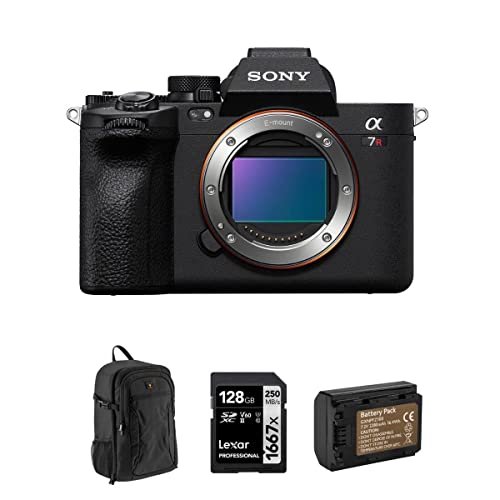
INCLUDES EVERYTHING YOU NEED – Alpha a7R V Camera Body | Body Cap | Eyepiece Cup | Multi Interface Shoe Cap | Rechargeable Battery | External Battery Charger | Shoulder Strap | USB Cable | Bundle Items: 128GB UHS-II SDXC Memory Card | Backpack | Extra Battery | Sony 1 Year Limited Warranty.
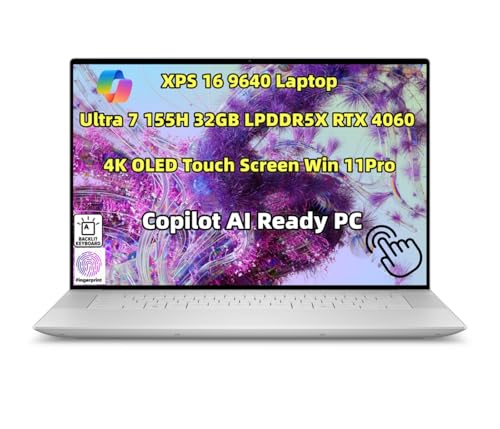
Processor: Ultra 7 processor 155H (24MB Cache, 16 cores, based on 2.5 GHz up to 4.8 GHz Turbo)

INCLUDED: Fujifilm X-T5 Mirrorless Camera Body (Silver) | Battery | AC Adapter | Plug Adapter | USB Cable | Headphone Adapter | Shoulder Strap | Body Cap | Hot Shoe Cover | Sync Terminal Cover | Fujifilm 1-Year Limited Warranty | PLUS: 128GB SDXC Memory Card | Extra Battery | Complete Cleaning Kit
Compatibility Considerations for Devices and Memory Cards
Hey there! When you’re picking the right memory card, it’s super important to think not just about the speed class, but also about compatibility with your devices. For example, if you have a UHS-I card and you pop it into a UHS-II device, it’ll work, but only at the slower UHS-I speeds—maxing out at 104 MB/s. On the flip side, if you grab a UHS-II card for a UHS-I host, you won’t be able to take advantage of those lightning-fast speeds.
It’s a bit tricky because not every device out there supports UHS-II or UHS-III, and that really depends on the specific make and model. Take a camera, for instance—some older models may not benefit from the speed of a UHS-II card. Also, keep in mind that many USB-C adapters and card readers can’t handle the faster UHS-II or UHS-III cards either. To truly make the most of your cards, it’s best to pair them with devices that can handle their capabilities. Using a card reader with USB 3.0 technology will help you achieve the fastest possible transfer speeds.
Best Practices for Selecting the Right Memory Card
Hey there! So, when we’re looking for the right memory card, there are a few key factors to keep in mind that can really enhance our experience. First up is the Speed Class rating. You’ll want a card that’s rated Class 10, UHS-I, or even UHS-II if you’re into high-def video and burst photography—this ensures your camera can capture all those quick moments without any hiccups.
Next, let’s talk compatibility. It’s super important to make sure the memory card matches your device. For instance, if you have a UHS-II card but you’re using a UHS-I camera, it’ll work, but only at UHS-I speeds. This might not be a big deal for casual shots, but if you’re shooting a lot of high-resolution video, that difference can be noticeable.
Also, don’t forget about the Video Speed Class ratings. If you’re venturing into 4K video, you’ll want to ensure your memory card meets the write speed requirements. A good example to keep in mind is looking for a card labeled V30 or higher for smooth video recording.
Finally, when it comes to capacity and reliability, especially for professional work, high-capacity cards are your best friends. They help manage those gigantic file sizes and keep your data safe during those long shoots. Imagine being in the middle of capturing an epic moment and suddenly running out of space—no fun at all! Additionally, choosing cards that support PCIe 2.0 can significantly improve data transfer rates for more efficient workflows.
Recommended Products


SDXC UHS2 V90 Max write 299MB/s Max read 300MB/s 256GB 2pack

Turn Your Passion Into Profit – Calling all Vloggers, Influencers, Filmmakers, Photographers & Videographers: become an instant pro by adding our professional line of SD cards to your kit. Focus on curating the finest content for your clients/audience while our SDXC cards do the backend heavy lifting of storing and uploading your work efficiently every time.
Frequently Asked Questions
Which Is Better, UHS-I or UHS-II?
When it comes to UHS-I vs UHS-II, we’d definitely choose UHS-II for its advantages in speed performance, especially for video recording and photography needs, ensuring better future-proofing despite potential pricing differences and compatibility considerations.
Is UHS-II Necessary?
UHS-II isn’t strictly necessary, but its advantages—like faster access and enhanced longevity—shine in demanding applications. While pricing can be higher, it’s worth considering for professional use. We all deserve smooth experiences in our creative pursuits.
What Is the Difference Between UHS and Speed Class?
UHS cards enhance data transfer rates and write speeds, outperforming standard Speed Classes. They address storage capacity and compatibility issues, though device limitations and price comparisons can impact our choice based on application usage and brand reliability.
What Are the Four Types of SD Cards?
In the digital landscape, we navigate four SD card types: SDSC, SDHC, SDXC, and SDUC. Each offers unique storage capacities and compatibility, influencing performance and costs based on our usage scenarios and desired longevity.


